Cirque Du Flesh
A carnival horror game where you need to play carnival games to get tickets and feed the flesh walls to progress.
Key Contributions
- Designed and implemented core gameplay systems, including a custom character controller, AI, player interaction, inventory, dialogue, and save/load.
- Developed and integrated gameplay features including UI, carnival games and item pickups.
- Integrated multidisciplinary assets (audio, UI, 2D art) into Unreal Engine, ensuring cohesive gameplay functionality.
AI System
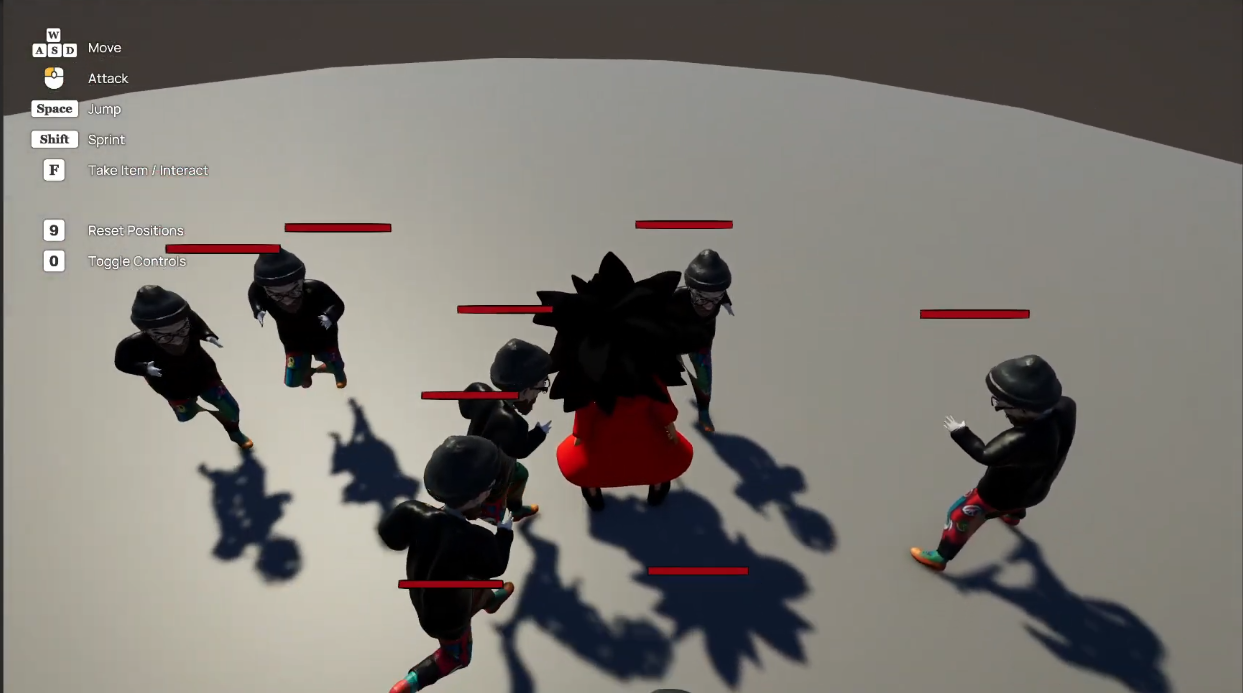
Created a AI system for enemy AI, with chase and combat mechanics, using Unreal behaviour trees.
Its setup in a way that once the player has been spotted they will always pursue the player. To do this I implemented the following:
- Custom decorator for float-based decision thresholds.
- Behavior Tree service to update player state (location, line of sight, distance).
- Custom BTTasks for combat actions, including attack handling and stagger reactions.
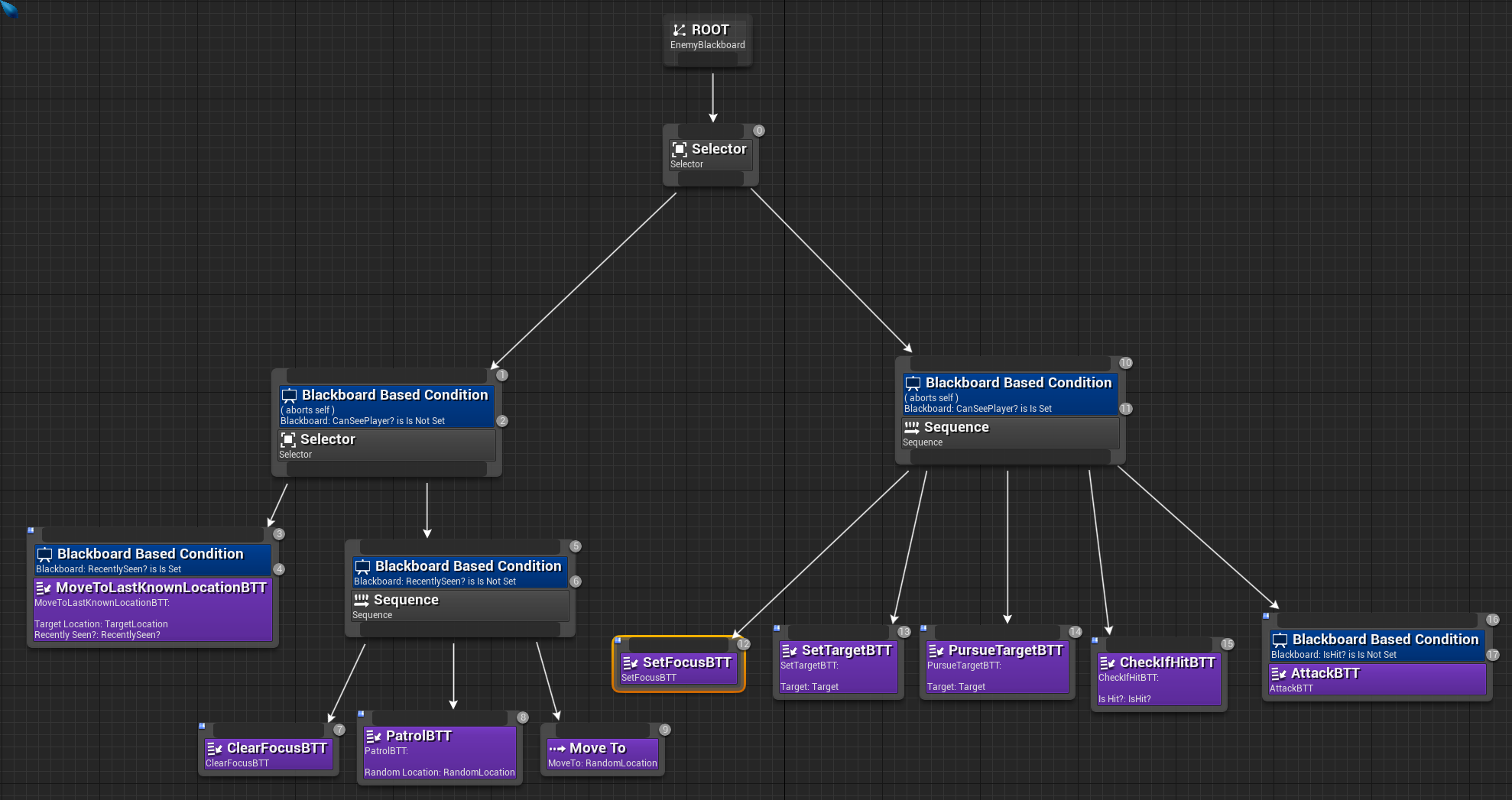 This tree manages 4 states:
- Idle: No movement.
- Stagger: prevent combat, fall back.
- Combat: allow attacks with delays;
- Dead: prevent any actions.
Stagger BTTask
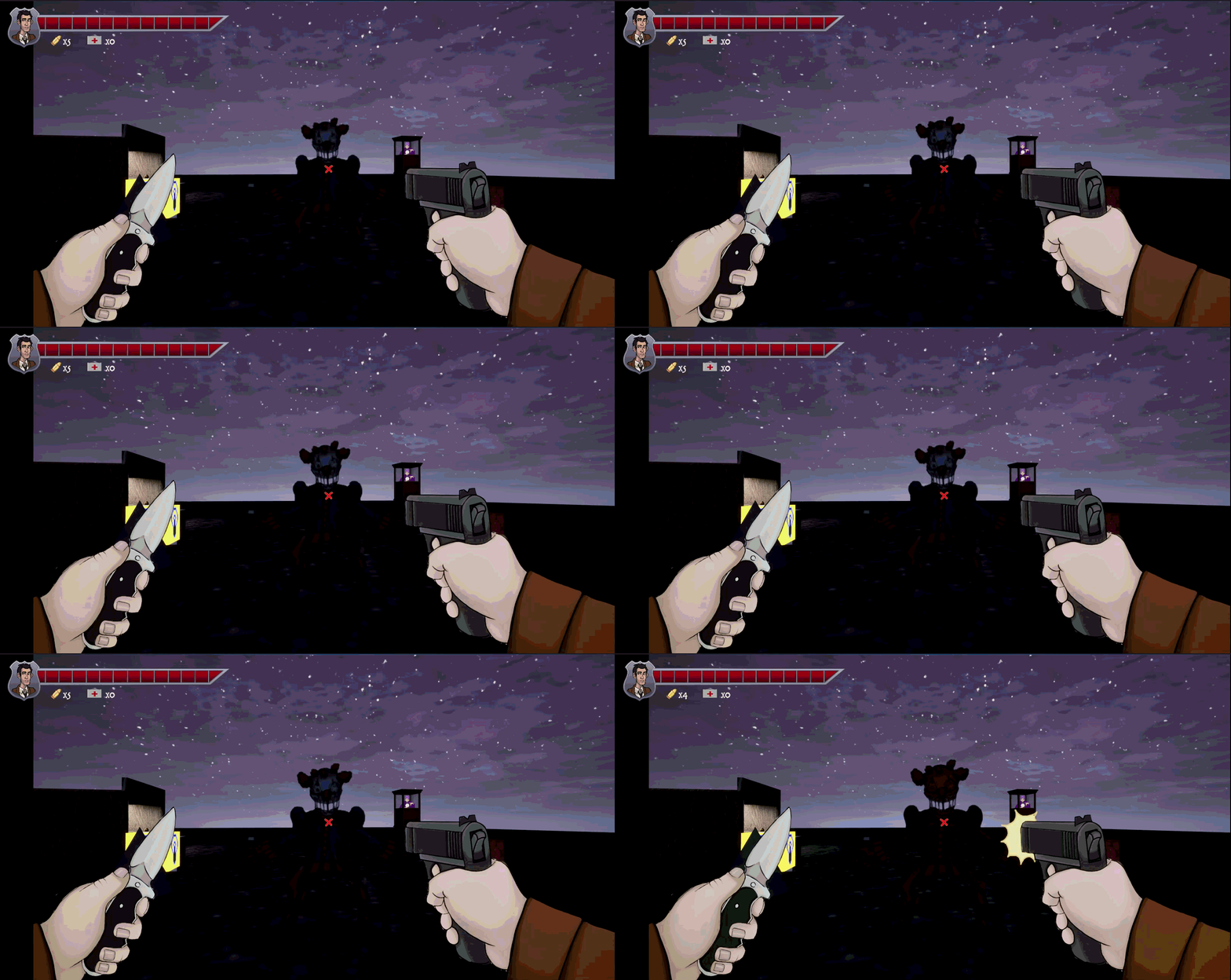 A custom BTTask was implemented to handle stagger responses and temporary interruption of AI behaviour.
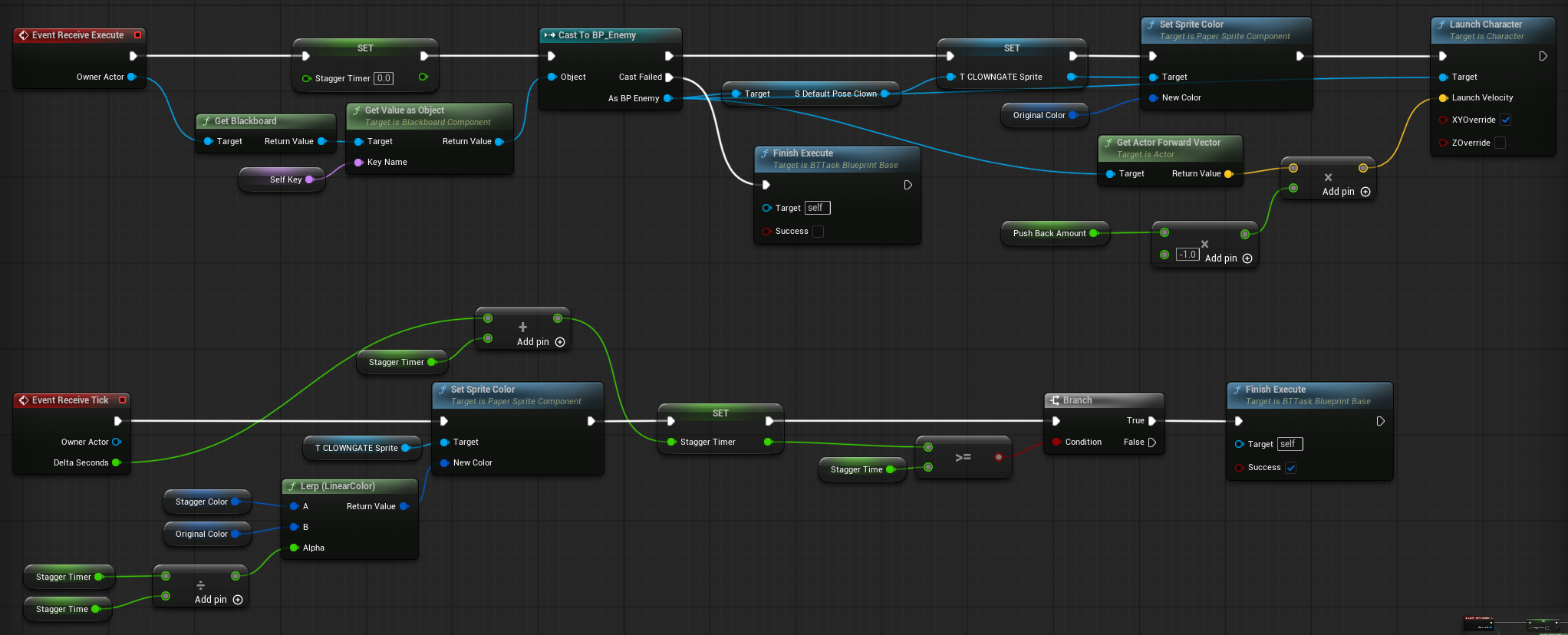
When triggered, the task applies a directional pushback to the enemy and enters a timed state where actions are disabled. The task only completes once the timer elapses, ensuring the AI remains in the stagger state for the full duration.
A custom BTTask was implemented to handle stagger responses and temporary interruption of AI behaviour.
When triggered, the task applies a directional pushback to the enemy and enters a timed state where actions are disabled. The task only completes once the timer elapses, ensuring the AI remains in the stagger state for the full duration.
The same timer is also used to drive visual feedback by gradually fading the sprite’s stagger colour, linking gameplay state with presentation.
Player Controller
Implemented a first-person player controller handling interaction, input state, and sprite state management.
- Interaction system for detecting and triggering gameplay elements
- Input and menu state handling
- Sprite state management for visual feedback
- Gun shooting and melee combat
Interaction System
Designed a flexible interaction system to detect and interact with objects in front of the player. The system performs a forward sphere trace each frame to identify valid interactables within range.
void APlayerCharacter::Tick(float DeltaTime)
{
    Super::Tick(DeltaTime);

    if (InConversation)
    {
        return;
    }

    FCollisionShape Sphere = FCollisionShape::MakeSphere(50.f);

    TArray<FHitResult> Hits;

    bool bHit = GetWorld()->SweepMultiByChannel(
        Hits,
        GetLOSStartPosition(),
        GetLOSEndPosition(InteractionRadius),
        FQuat::Identity,
        ECC_Visibility,
        Sphere
    );

    InteractionTarget = nullptr;

    if (!bHit)
    {
        return;
    }

    for (const FHitResult& Hit : Hits)
    {
        AActor* HitActor = Hit.GetActor();

        if (HitActor &&
            HitActor->Implements<UInteractionInterface>() &&
            IInteractionInterface::Execute_CanInteract(HitActor))
        {
            InteractionTarget = HitActor;
            break;
        }
    }
}
To support extensibility, interactions are handled via an interface, allowing both actors and components to define custom interaction behaviour without tight coupling to the player controller. When a valid intractable is detected, it is cached as the current target. During dialogue interactions, updates are paused to prevent conflicting input and ensure consistent state handling.
Save System
Implemented a lightweight save system using Unreal’s SaveGame framework to persist player state across sessions.
Game data such as player progress and key variables are stored in a custom save object and managed through the Game Instance, providing a centralized access point for saving and loading. The system is triggered when speaking to zoltan, ensuring important state is preserved without requiring constant writes.
Dialogue System
Implemented a modular dialogue system using a custom component that can be attached to any actor. The system integrates with the interaction framework, allowing dialogue to be triggered consistently across different gameplay elements.
Dialogue is structured as a sequence of DialogueLine objects, each containing audio, subtitle text, and timing data. This enables data-driven dialogue playback with synchronised audio and subtitles.
Dialogue Line Object
Dialogue playback is initialised by setting the audio source and triggering the first line in the sequence.
void UDialogueLine::PlayDialogue(UTextBlock* DialogueTextObject, UAudioComponent* DialogueSpeaker)
{
	TextObject = DialogueTextObject;

	DialogueSpeaker->SetSound(VoiceLine);
	DialogueSpeaker->Play();
	PlayLine();
}
Dialogue lines are sequenced using a timer-based system, allowing each line to display for its defined duration without blocking gameplay.
void UDialogueLine::PlayLine()
{
	if(lineIdx >= Lines.Num())
	{
		OnFinishedDialogue.Broadcast();
		return;
	}

	GetWorld()->GetTimerManager().SetTimer(
		LineTimerHandle,
		this,
		&UDialogueLine::PlayLine,
		Lines[lineIdx].Duration,
		false
	);

	TextObject->SetText(Lines[lineIdx].Line);

	lineIdx++;
}
Inventory System
Implemented a data-driven inventory system using Unreal Engine’s TileView framework.
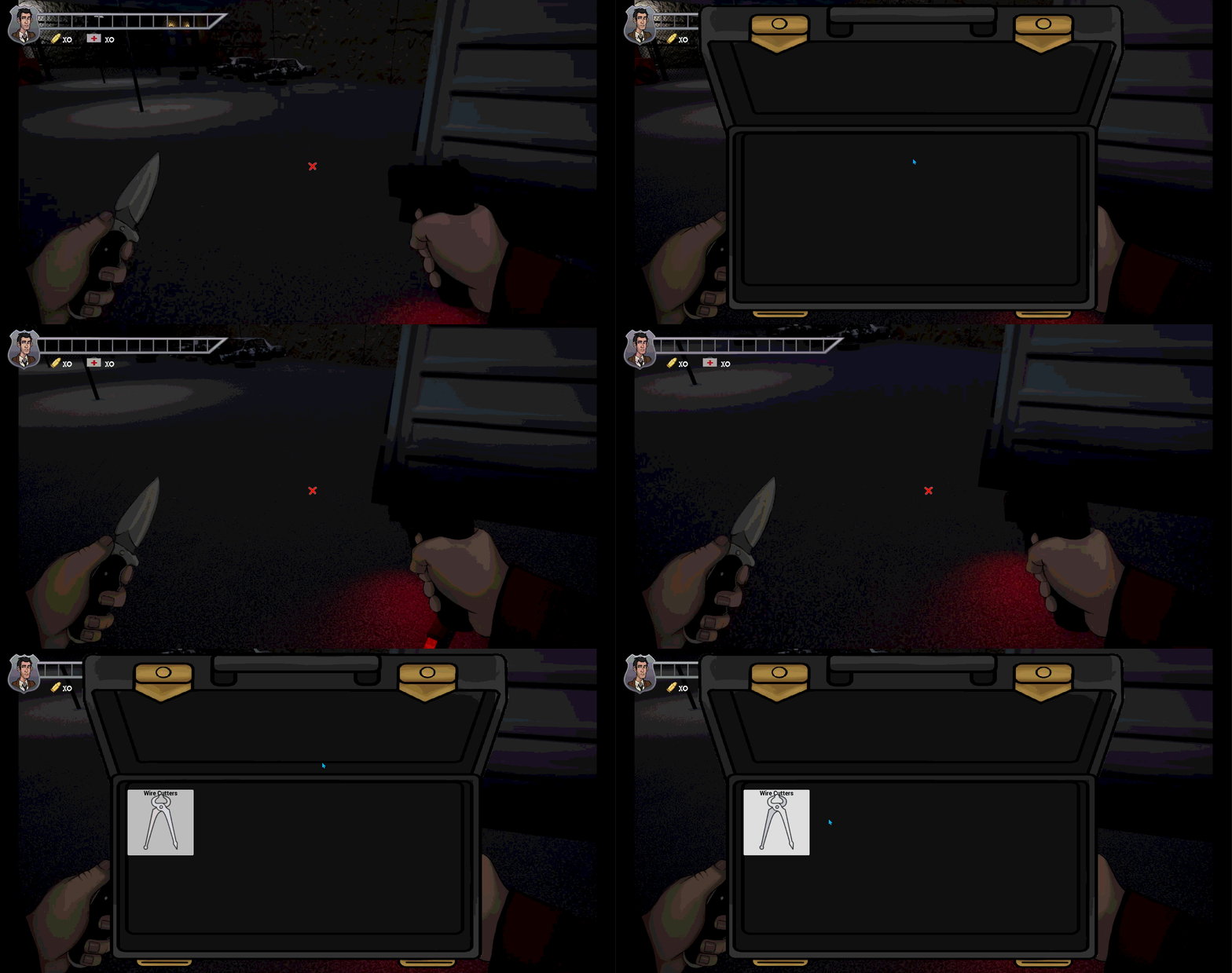
Inventory items are represented as data objects which dynamically generate UI entries, separating gameplay data from presentation logic and allowing the interface to update automatically as inventory contents change. This approach keeps the system scalable and makes it easy to extend item types or modify UI behaviour without restructuring the underlying gameplay systems.
Final Thoughts
Had a lot more fun with this one as there was a lot of different gameplay systems and features. Also using unreal save system was a great learning experience on how to handle serialized save data.